Submission of financial statements to the KRS
0. Signing Documents
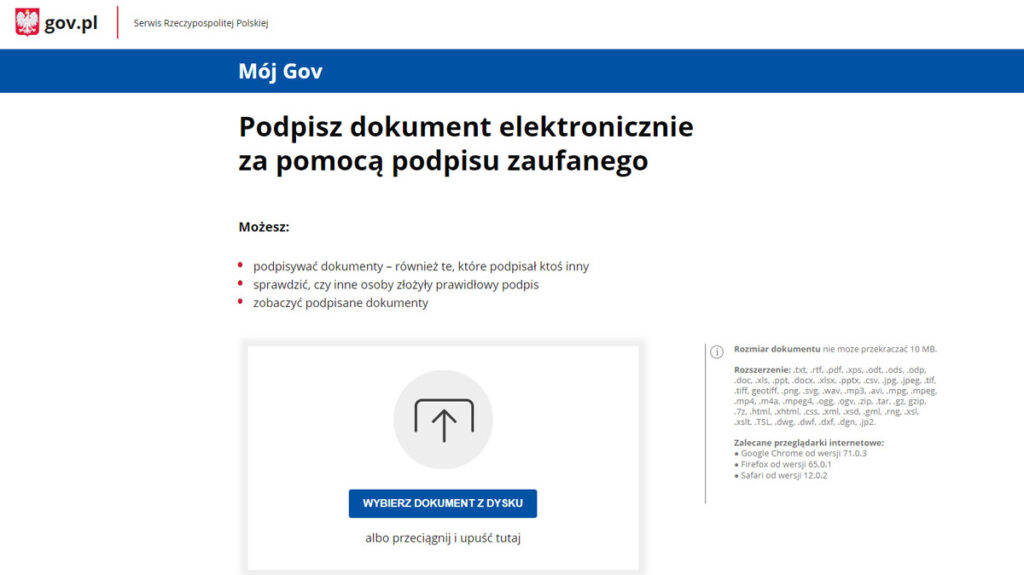
To sign documents, go to the following link:
https://moj.gov.pl/uslugi/signer/upload?xFormsAppName=SIGNER
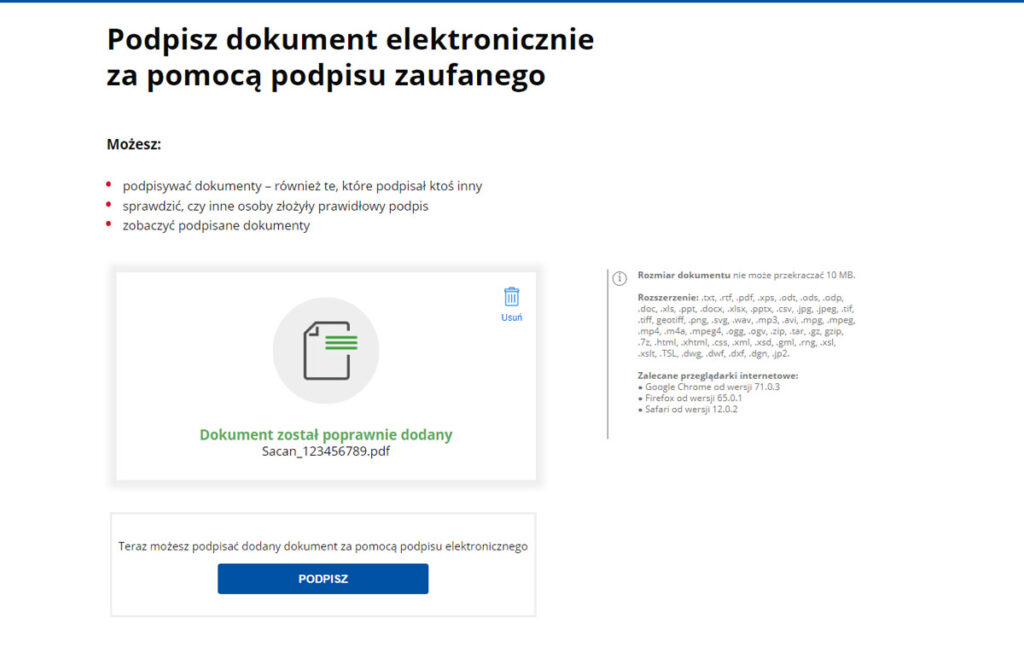
When the page opens, select “SELECT DOCUMENT FROM DISK” and then upload the files one by one:
– Annual financial statements (XML format)
– Scanned decisions of the shareholders’ meeting with handwritten signature (PDF format)
Finally, click the “SIGN” button .
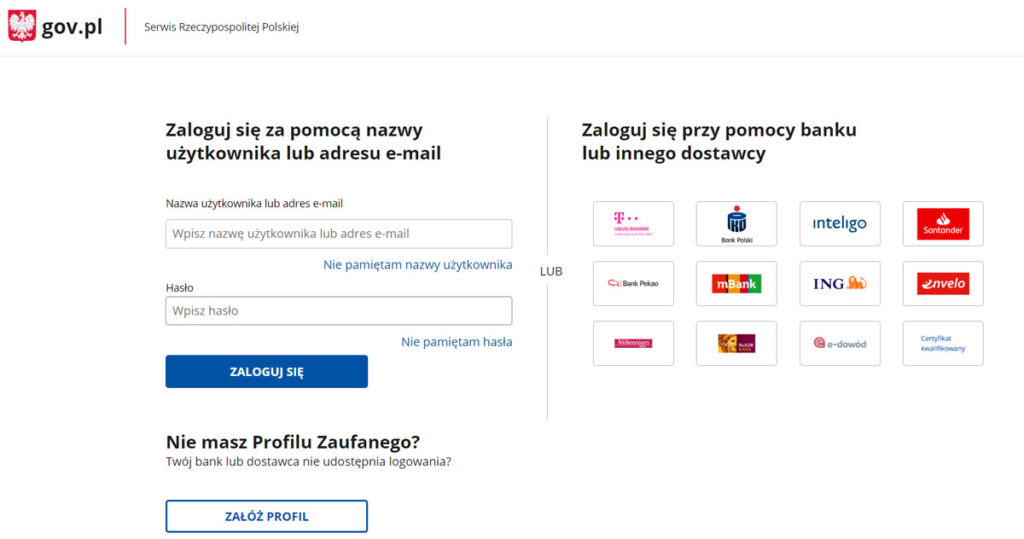
After that, a page will open where you have to choose a method for signing documents.
Press “SIGN WITH CONFIDENTIAL SIGNATURE” or “QUALIFIED SIGNATURE.”
After the signature, download the document.
If the company has several board members, each of them should repeat the whole procedure from the beginning, using the same files.
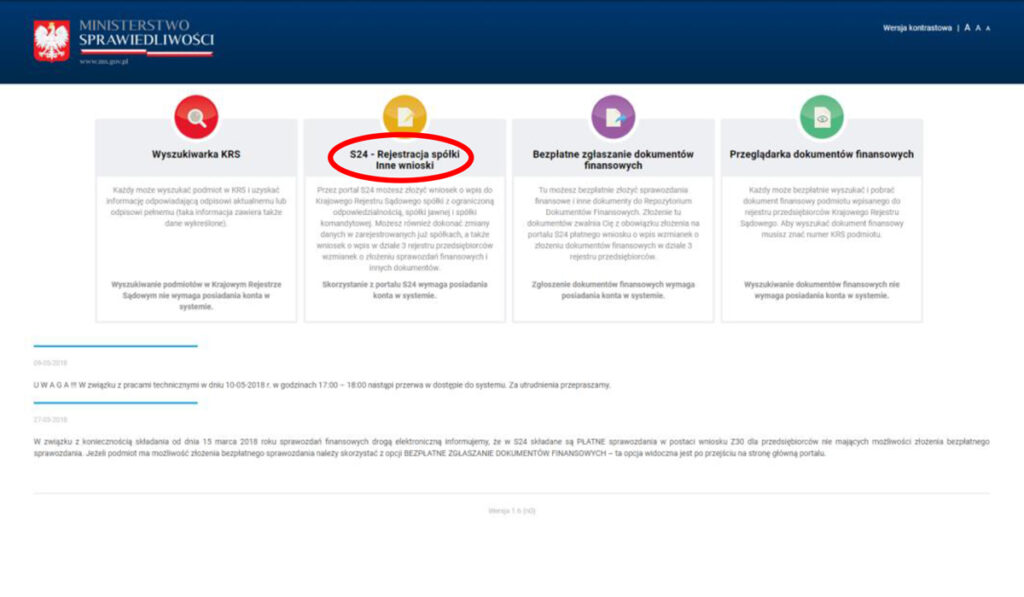
1. register at https://ekrs.ms.gov.pl/
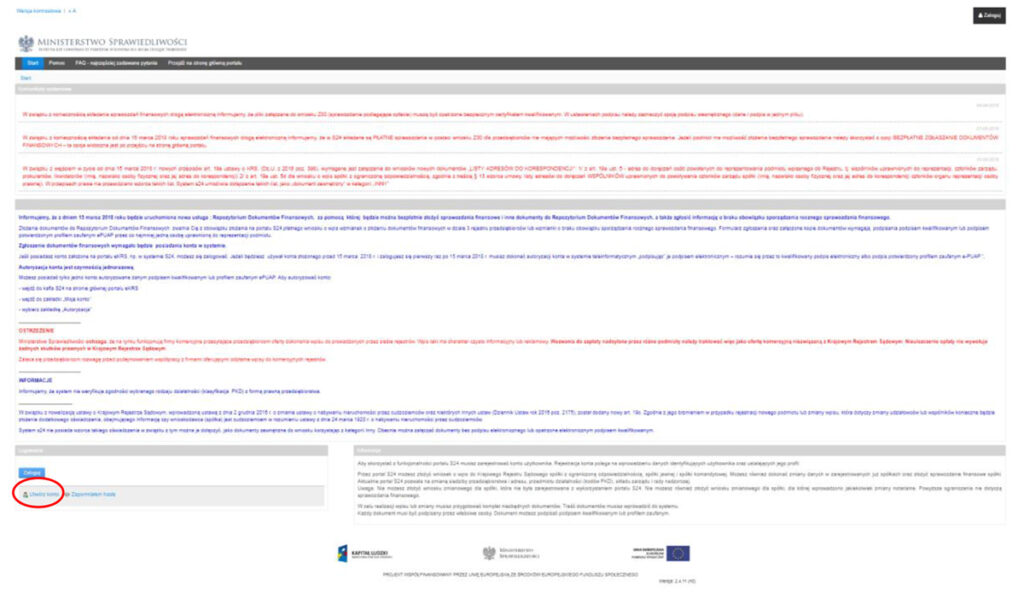
– Click the panel “S24 – company registration, other applications”.
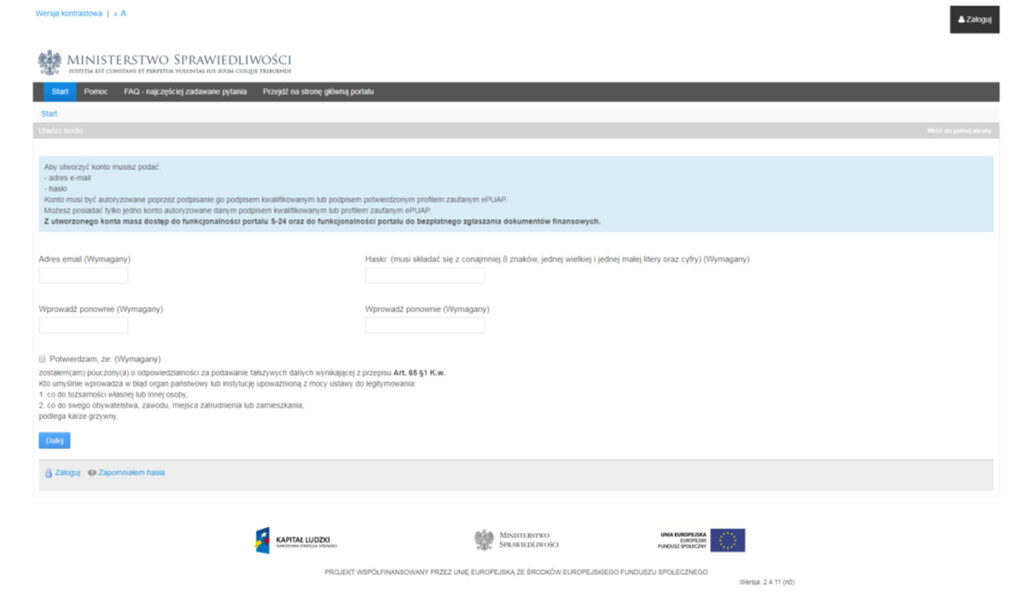
Once clicked, a window with extensive text will appear – scroll to the very bottom and click the “Create Account” icon .
The system will start the registration process, which at the end requires confirming the account with an ePUAP profile or electronic signature.
– Once you have completed the registration and prepared the scanned report, log into the system and upload the documents.
Remember that each part of the report should be scanned and attached as a separate file.
All our clients receive a set of files from us ready for signing and sending.
2. financial statement submission
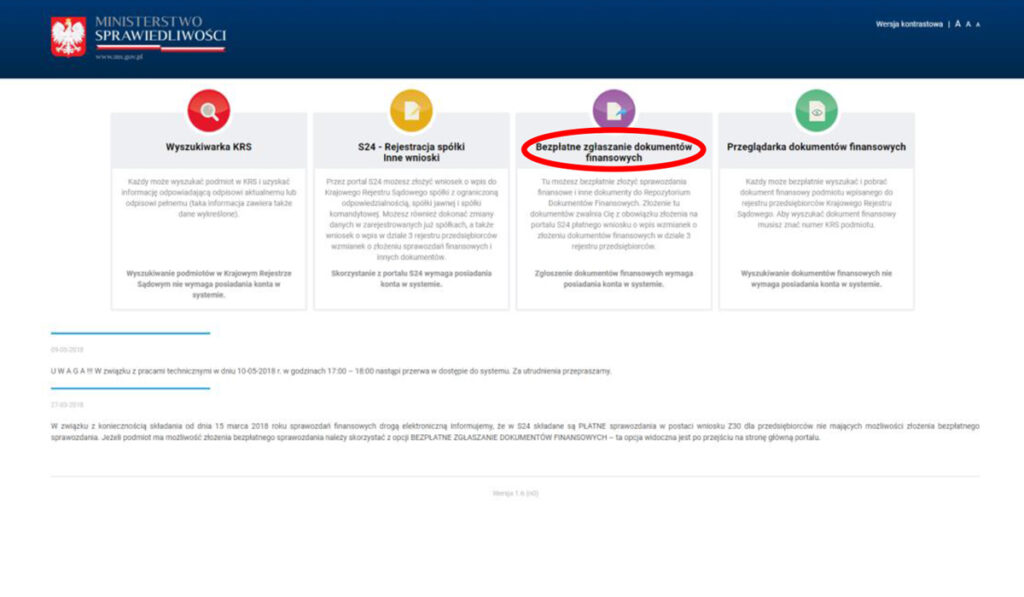
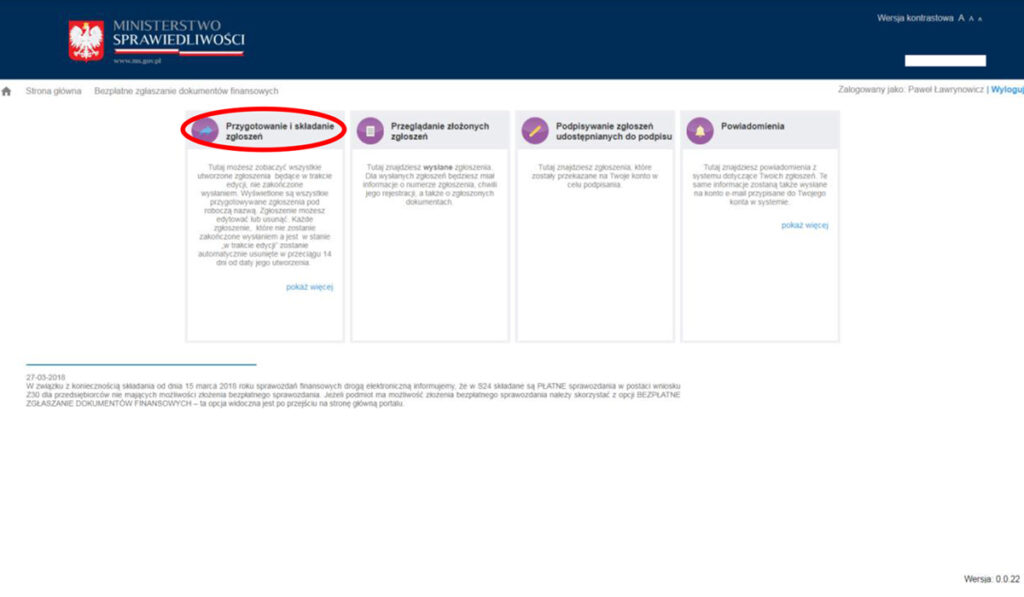
– Go to https://ekrs.ms.gov.pl/ and select “Free financial document submission”.
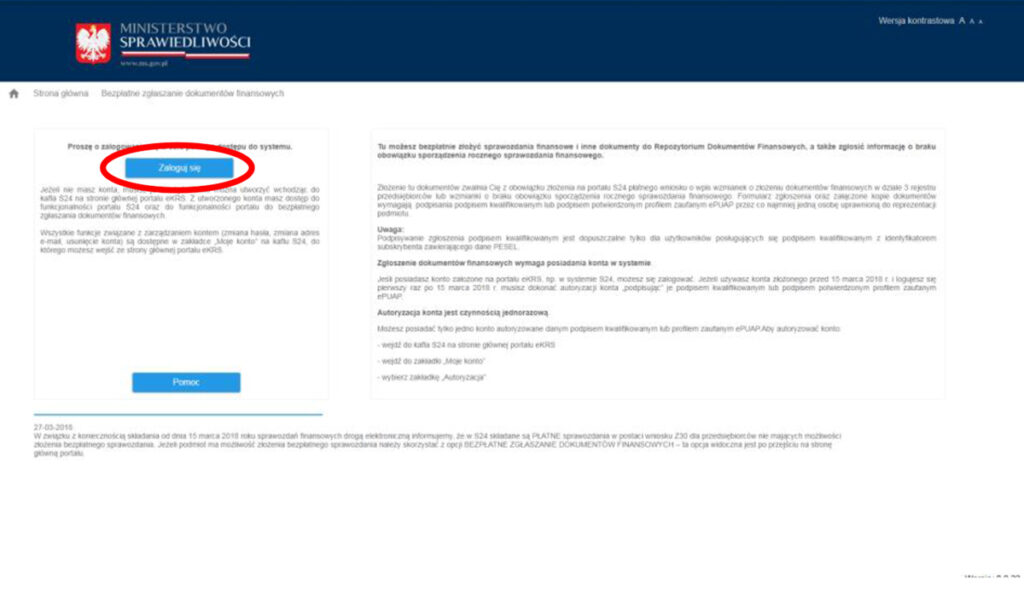
– Log in using the information you provided during registration.
– After logging in, go to the “Preparing and submitting applications” section .
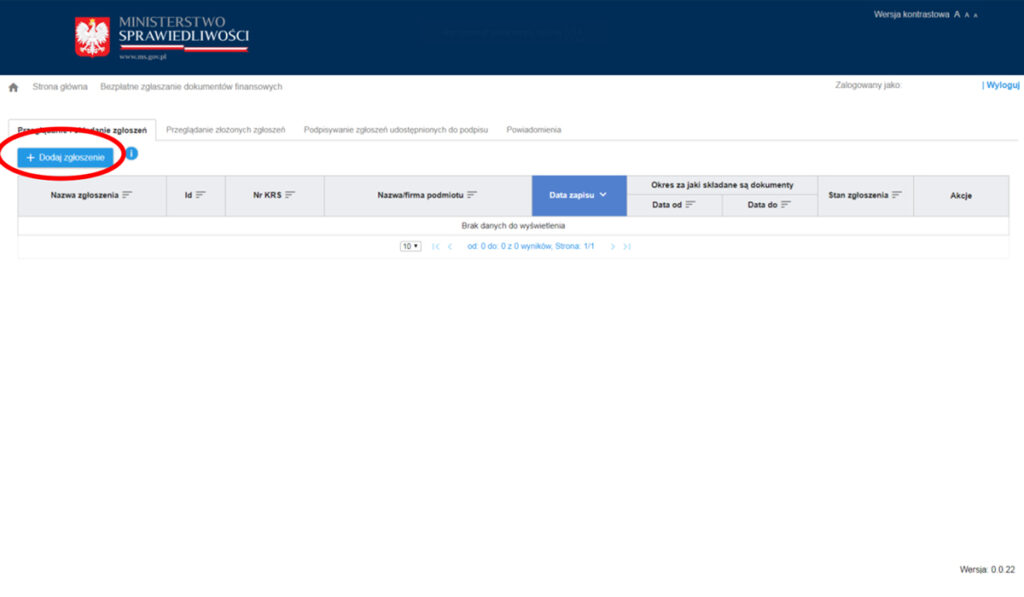
– Click the “+Add Application” button .
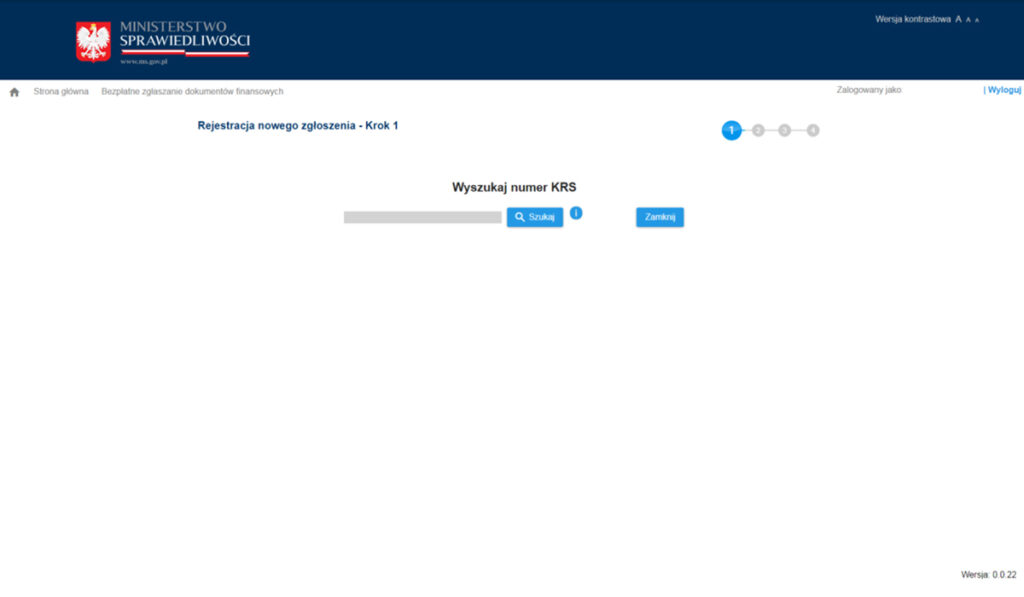
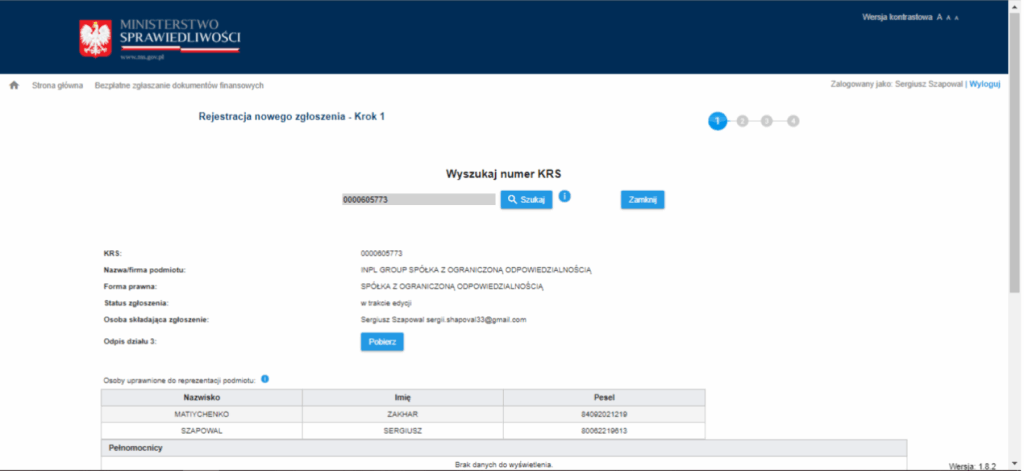
– After entering your KRS number, find your company in the system
– After finding your company, the window will show its page in the KRS and the names of the people who have the right to sign reports, as well as a list of previously submitted documents.
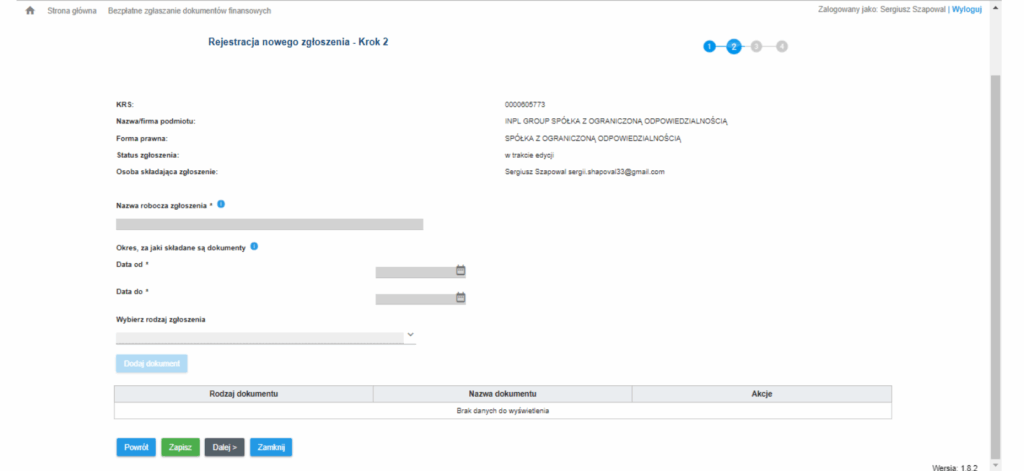
– At the bottom of the page, click the “Next” button to proceed to the next step, where you need to add the scanned report files – each as a separate attachment.
The system will indicate step by step the next steps required to complete the process.
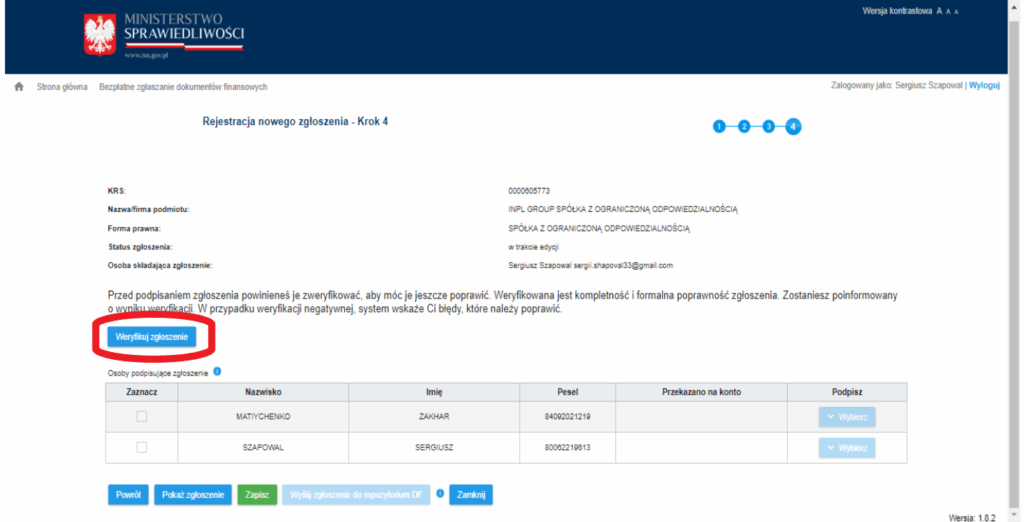
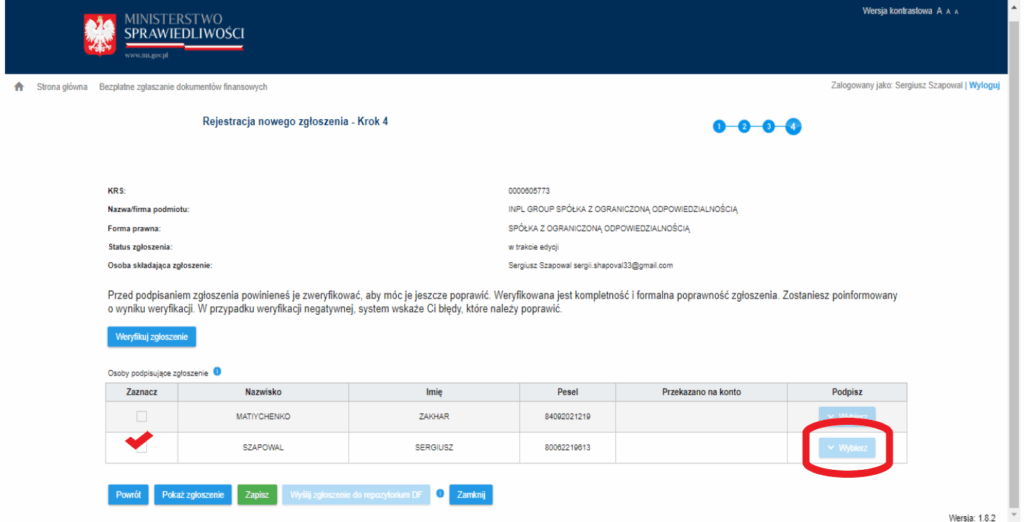
– Once all the documents are uploaded, the report should be verified, and then the procedure should be completed by signing the report using an ePUAP profile or electronic signature, which can be purchased in advance from our office.
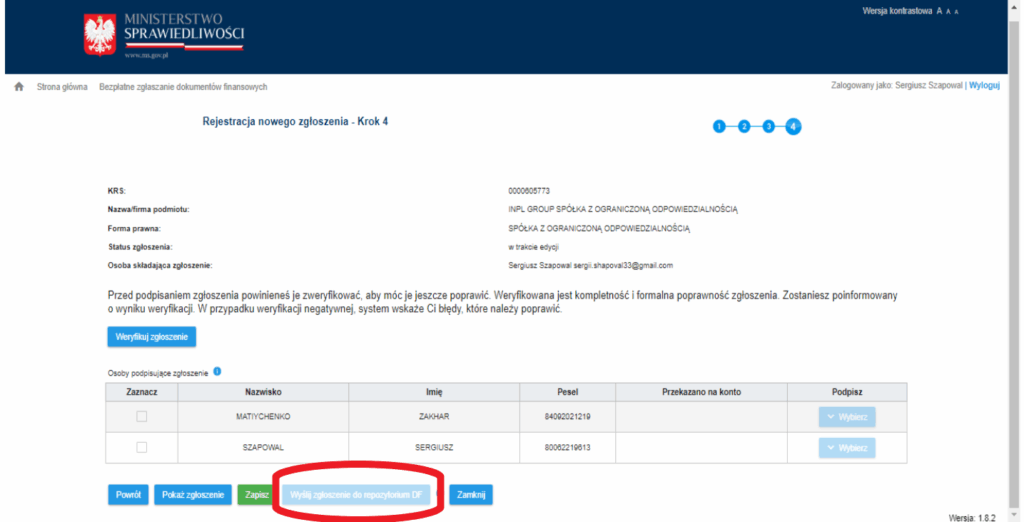
Once the report is signed, it must be sent to the KRS to be placed in the central database of Polish companies. After that, the information goes to the tax office and appears in the reconstruction statement – when you check it, you will make sure that the report was correctly submitted and accepted.
We would also like to remind you that the ePUAP profile or electronic signature are important tools that are not owned by the company, but only by individuals – its representatives, and are used in many areas (more information https://inpl.eu/elektronnaya-tsifrovaya-podpis).